Save a template
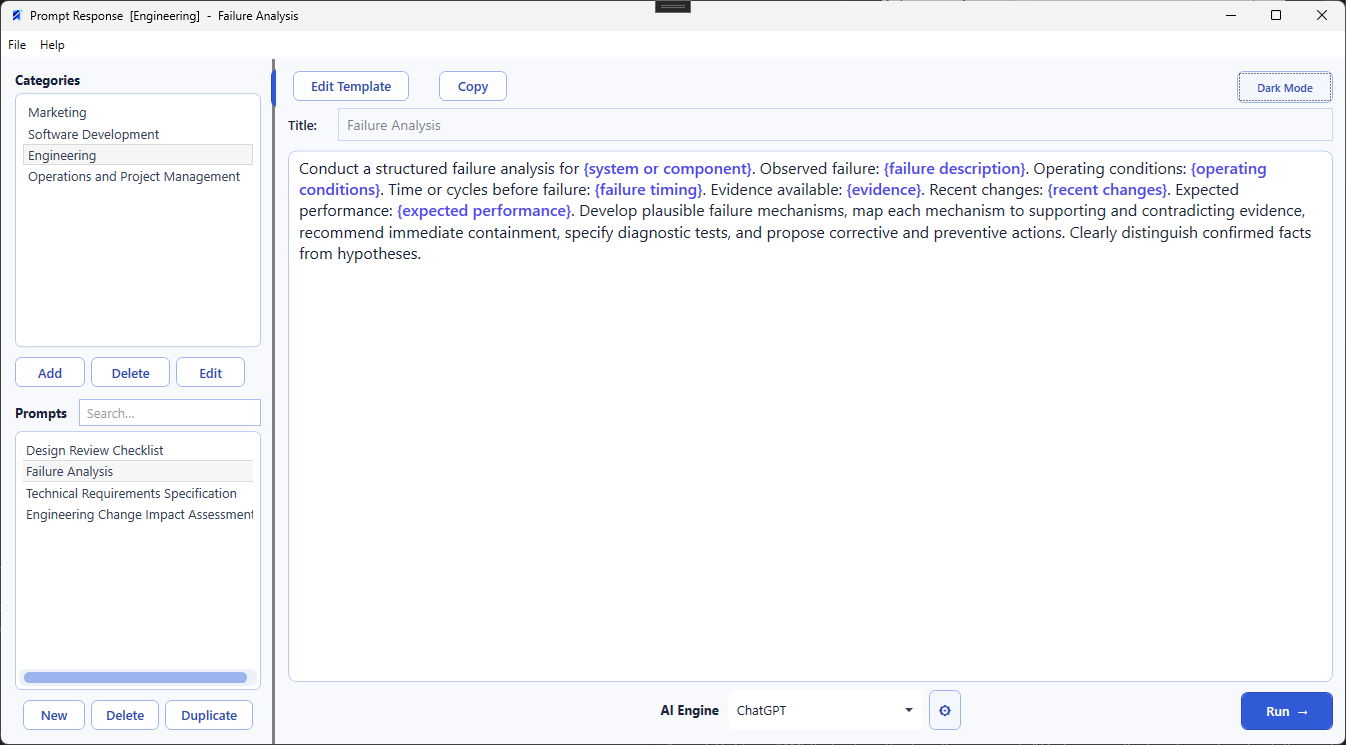
Use {audience} for required details or {tone=professional} to provide a ready-to-use default.
Reusable prompts, without the busywork
Prompt Response turns your best prompts into reusable templates. Fill in the changing details once, update every matching field automatically, and send the finished prompt to the AI service you prefer.
Free for Windows 10 and Windows 11. No account or subscription required.
How it works
Keep the structure that works. Change only what the next task requires.
Use {audience} for required details or {tone=professional} to provide a ready-to-use default.
A focused field panel makes editing fast. Repeated field names update everywhere in the prompt.
Choose your AI engine and press Run. The finished prompt is copied and your selected service opens.
Built for repeat use
Long prompts become easier to understand, fill, and maintain—without locking your workflow to one AI provider.
Write a {deliverable} for {audience} that explains {topic}. Use a {tone=professional} tone and include three next steps for {audience}.
Made for repeatable work
Prompt Response fits professionals who rely on proven instructions but need a fresh, accurate result for every client, class, campaign, or task.
Campaign briefs, content repurposing, brand-safe drafts, and repeatable reviews.
Proposals, discovery summaries, client updates, and structured recommendations.
Job descriptions, interview guides, candidate messages, and onboarding materials.
Lesson plans, rubrics, study guides, parent messages, and differentiated activities.
Listing descriptions, follow-ups, market updates, and neighborhood summaries.
Bug reports, code reviews, documentation, release notes, and support handoffs.
An idea we are exploring
Professionals often turn a good prompt into something distinctly their own. A future community library could make it easy to share that work, discover practical templates, and build on useful ideas without changing Prompt Response's local-first foundation.
Browse useful templates by profession, task, or workflow.
Contribute templates that have worked well in real situations.
Import a community template, then tailor it to your own needs.
Keep creator attribution visible when a template is shared or adapted.
Help surface clear, practical templates and suggest refinements.
Choose what to publish while personal prompt libraries remain local.
This is a direction under consideration, not a promised service. The desktop app will remain useful on its own, and nothing from a personal library would be shared without the user choosing to publish it.
Build something compatible
If you run a prompt library, teach practical AI workflows, or create templates for a professional community, we would like to explore open, user-friendly ways to share and import useful work—with clear attribution and user control.

Prompt Response
A cleaner way to store, customize, and use the AI prompts your work depends on.
Coming soon to Microsoft StoreFree for Windows 10 and Windows 11 · No account or subscription required